Showing posts with label second life photography windlight suede design studio. Show all posts

Tuesday, February 8, 2011

Plastik.. Incredible Bird Lanterns

The Lantern Store
From Suede Design Studio

It's been a while since I did fantastic build post, but when I visited Plastik I suddenly remembered why I love the creativity I see in Second Life. It is a very detailed build, full of character and atmosphere, you use the tp boards to travel between lanterns and departments.

I went to see Crysanthemum skin, which I saw in another post by Annalesca Ashbourne, I tried on the demo skin, I am still deciding on it, I am a terrible fusspot when it comes to skins, I like to still look like me.

So anyway back to Plastik's build which is so great, espically as we just had Chinese New Year, wish I done this post on last Wednesday which was Chinese New Year.
From Suede Design Studio

From Suede Design Studio


Islands are home to the stores, one hosting a huge gnarled tree, with huge lanterns hanging from it's old worn branches, it's just waiting to topple into the sea, where your avi can get eaten by the sea serpent. The birds watch and wait.......

Friday, November 12, 2010

Styled By Sophia

From Suede


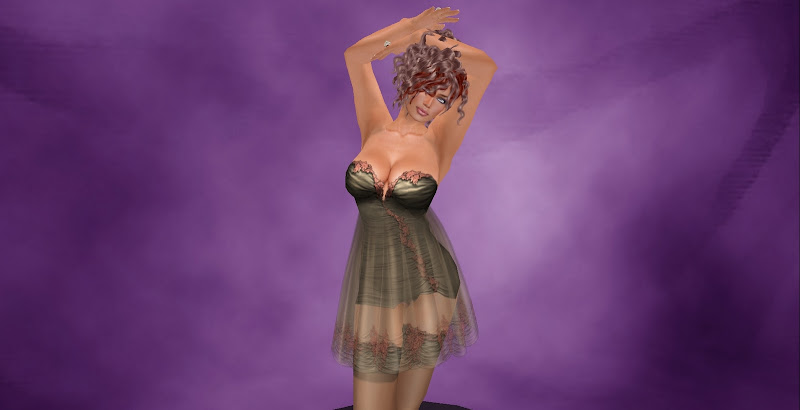
As some of you might know I live in Los Angeles in the Real World, where style consultants are a normal part of life, and here in SL, sometimes we got the Lindens but don't 'have a clue. I am a creature of HABIT and I have had this shape more or less since the beginning of time, and when I was talking to my friend Sophia, we discussed this and boom... I have a new shape, So I let her take charge and here is what happened.....

From Suede


I am wearing the Elle skin in both photo shoots from Belleza, which is the current gift and the Naomi shape which matches it from SophistiSHAPES. All lingerie are from the Sophia Collection which is her new enterprise, and I must say the textures are outstanding and more than reasonably priced for this level of quality.

From Suede

From Suede


So, basically, I have on the Naomi shape in both shoots, but we used Bellezia Suntan for the darker look with Truth hair, which made her look more wild and aggressive with a lip ring thrown in for good measure, the lighter softer blonde look, is the fair skin in the gift pack, teamed up with floaty soft lingerie and soft curls from Anaglog dog, I did discover that the fringe ( bangs to you Americans) can stay on your head and so I can have some fun highlights around my face. I did feel all sexy in the blonde look, with curves all over, my normal look has little a cups, one of my male friends said I looked like Denise Van Outen so I will take it as a complement.

From Suede


It is fun to switch it up especially when you are doing it with someone who does it for a career.. run along to SophistiShapes and try something new.. your gonna like it.

Wednesday, September 22, 2010

Artemtis corset


I bought this beautiful lacey corset and knickers set from Chic Boutique ages ago, but never blogged it. There is also a ballgown which is very similar in look, I bought that as well. The wings I borrowed from a friend and I have forgotten to ask her where they were from, but as you can see they are a perfect colour match.

Style Card
Skin - Glance Frieda (gift skin from the Fashionista Hunt)
Undies Chic Boutique Artmetis

I played with the windlight settings of course, I managed to turn the sky blue and the tree black and then turned up the gamma to highlight the avatar's body, this time I did not use a preset, I basically just slid the buttons up and down until it looked good.

Suede

Friday, June 4, 2010

Couple Shots

Mr. and Mrs. Varnish


Everyone likes a couple shot.. I mean falling in love is what makes the grid go around. Although there are many many standard poses for couples they make for a boring and predictible photograph.

I prefer to watch and learn the movement in really good animations, the ones Bitter and I have used here are from Bits and Bobs, Devotion and Moments, both good quality nice animations.

Most people are used to Devotion but what you might not have noticed is that for just a few seconds in the middle the two avatars foreheads touch and they gaze into each others eyes, it's very intimate.. they only have eyes for each other.


I took two shots of this short pause in the animation, one from the woman's profile and then the other from the man.. depends on you which angle you prefer.

Moments.. is also lovely, there are a few seconds where the female avi runs her hand through the male avi's hair and then another where he lifts her up to kiss her.


You need to learn your animation and watch it from different angles experimenting which snapshots give a effect you like.

Photo Stats
Midnight setting
Stars set to max
Gamma set to max

Wednesday, March 10, 2010

Tempura Island - Water Lillies

TEMPURA ISLAND


This a snapshot of the waterlilies at Tempura Island. I used the basic SL viewer to take these shots and used my camera controls to move my viewer to just above the water level. I spun around and changed position for quite a while as the flowers are on full bright which is really not attractive for photos.

Settings:
Environmental controls - Fine Day
Location - Tempura Island 18.207.21
Graphics Setting - middle

This second picture is exactly the same the only difference is the Graphics slider I turned all the way up to Ultra.
Personally I prefer the original shot, I feel the clouds distract from the flowers.


Please do comment and offer suggestions.. I like feedback.

Thursday, November 12, 2009

Photography 001.


Okay, so I have finally got my act together and have something to talk about. I am going to give you a quick overview of the things you can do with the Emerald Viewer. In later blog posts I will go into depth about how to achieve a certain look.

1) Download Emerald if you haven't already done so.
http://modularsystems.sl/index.php?option=com_content&view=article&id=3&Itemid=8


2) Find somewhere in world that you liked I used the view from a nudist beach in Zindra.. I forgot this name.. but next time I will be sure to mark down the location for you. Now this view had a ugly island in the background which I wanted to remove from my picture. I used the draw button to reduce how far into the distance I could see.. the draw button is in the bottom right hand corner of your screen. on a little flip up menu.


3) I opened the windlight settings.. you can access this two ways.. one from the environmental controls. which gives you a huge range of options and choices and also from the little box, I just mentioned in section 2. Personally right now i would use the basic button on the right. We can discuss the environmental control magic sliders another time.


4) Most important.. turn your graphics settings up to Ultra.. yes it will slow you down.. but this is why I suggest you go somewhere quiet, no mall, no disco or club.. and as few people as possible.

So as you can see, all I did was change 3 things in my viewer, the draw distance, the windlight settings, and the graphics settings, and I also waited and watched the ebb and swell of the waves and clicked when the splash came, animations bring life to your picture, it is worth it to wait and learn the cycle of the animation so you can get the best angle. This is very important when creating a portrait.

Suede